A solar inverter has a demanding job: it converts the electricity produced by your panels into power your home can use. It works through hot afternoons, cold nights, and changing levels of sunlight. So, what is the lifespan of a solar inverter? Many residential models operate for about 10 to 15 years, but actual service life depends on the equipment, installation, and conditions around it. That range is useful, not a promise. Heat, dust, moisture, poor ventilation, and electrical stress can all contribute to wear. A unit mounted in a sun-baked garage may face different conditions from one installed in a cool, shaded area. Small details matter.
Extending inverter life starts with following the manufacturer’s installation and maintenance guidance. Keep vents clear, avoid storing boxes or garden tools around the unit, and watch for warning lights or unfamiliar noises. Have a qualified solar technician inspect the system when needed, especially if its output changes or alarms appear. Do not open the inverter yourself; internal components can retain dangerous electrical energy. A simple record of error messages and performance changes can also help a technician identify problems sooner. There is no perfect maintenance schedule for every system, and even careful owners cannot prevent every failure. A little frustrating, but true. This guide explores practical ways to reduce avoidable strain, spot early signs of trouble, and make informed decisions about repairs or replacement. The goal is not to promise a longer life, but to give your inverter better conditions to do its job.
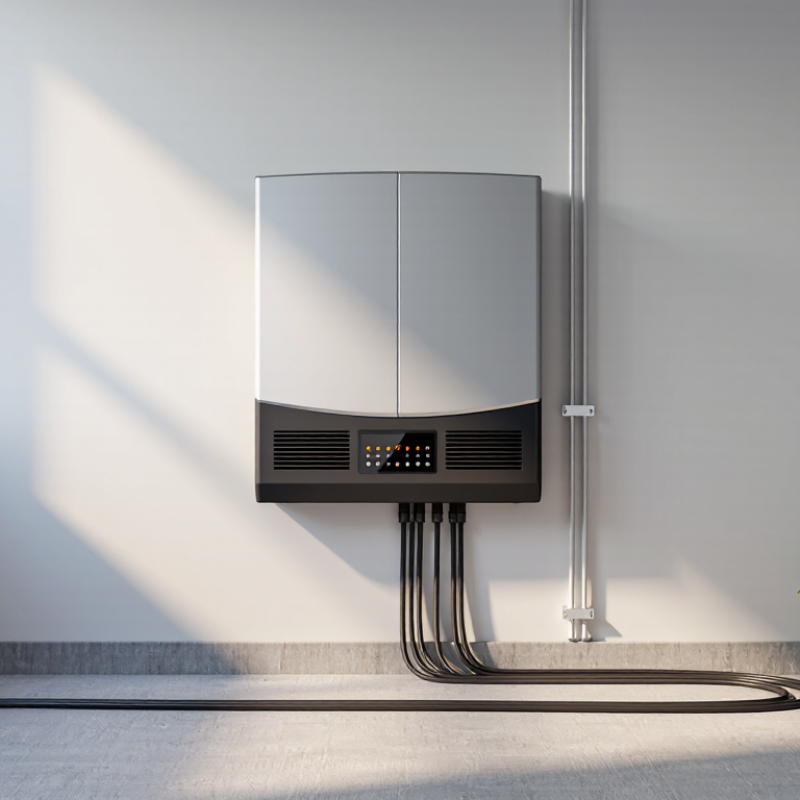
A solar inverter lasts longer when it operates within its rated limits, not merely when it receives occasional repairs. Check the manual for maximum DC voltage and current, permitted grid conditions, ambient temperature, and altitude derating. On a hot afternoon, a shaded, ventilated inverter may avoid thermal derating; blocked vents or dust can trap heat. Give it breathing room. Never assume a higher rating is safe.
NREL’s 2024 Annual Technology Baseline uses a 15-year inverter replacement assumption in its cost modeling. This is a planning estimate, not a guarantee for any individual unit. Temperature swings, electrical stress, and poor maintenance can shorten service life. Keep installation and service records, and review fault logs for repeated trips or rising temperatures. Patterns matter.
Follow the manufacturer’s inspection schedule, including checks for airflow, corrosion, loose enclosures, and warning indicators. Use a qualified technician for electrical testing or internal repairs; opening energized equipment can be dangerous. NREL’s PV O&M Best Practices guide treats preventive maintenance and documented inspections as core parts of system operation. A missed inspection is easy to rationalize. It may still allow a small cooling or connection problem to grow.
A solar inverter works hard in direct sun, but trapped heat shortens the life of its electronic components. Reliability engineering often uses a rule of thumb: a 10°C rise can roughly double the failure rate of some electronics. This is not a guarantee for every inverter; MIL-HDBK-217F-2 models component risk using temperature and other operating conditions. NREL’s Photovoltaic Inverter Reliability Assessment also identifies heat and humidity as important environmental stressors.
Give the inverter shade without blocking its airflow. Keep leaves, stored tools, and dust away from vents, and follow the manufacturer’s specified clearances. A small thermometer near the unit can reveal whether a garage corner heats up during the afternoon. Check for warm, stale air and listen for a fan that runs constantly. Keep it dry. Repair roof or pipe leaks promptly, and avoid placing the inverter where condensation forms overnight.
Ventilation matters more than a neat-looking installation. NREL’s O&M guidance recommends keeping equipment accessible for inspection and maintenance. Look for clogged vents, corrosion, moisture marks, or unusual heat during routine checks. Dust patterns can mislead; a clean-looking grille does not prove the internal passages are clear. Don’t open the enclosure yourself. Record temperature readings and recurring alarms, then have a qualified technician investigate persistent heat or moisture.
| Area | What to Check | Recommended Practice | Suggested Frequency |
|---|---|---|---|
| Operating temperature | Temperature warnings, heat-related shutdowns, or repeated power reduction | Install the inverter out of direct sunlight where practical, and keep it within the operating-temperature limits in its documentation. | Review monitoring alerts regularly; inspect the installation seasonally. |
| Airflow and clearance | Blocked air inlets or outlets, nearby stored items, and insufficient clearance | Keep ventilation openings unobstructed and maintain the clearances specified in the inverter’s installation manual. | Check every 3–6 months and after nearby building or landscaping work. |
| Dust and debris | Dust buildup around the enclosure, vents, or cooling fans | Clear loose debris from the outside without opening the enclosure. Follow the manufacturer’s instructions for cleaning or fan maintenance. | Inspect every 3–6 months; clean when buildup is visible. |
| Moisture and condensation | Water marks, condensation, corrosion, or dampness around the inverter | Choose a location protected from water exposure appropriate to the unit’s enclosure rating. Avoid areas prone to flooding or persistent condensation. | Inspect after heavy rain, flooding, or unusual indoor humidity. |
| Enclosure and cable entries | Cracks, loose covers, damaged seals, or gaps around cable entries | Keep covers and cable-entry seals intact. Have a qualified technician assess damage; do not open or repair the unit while energized. | Inspect every 6–12 months and after physical impact. |
| Installation environment | Nearby heat sources, corrosive fumes, vibration, or restricted airflow | Keep the inverter away from avoidable heat and corrosive substances, and use a stable mounting surface suited to the unit and location. | Review when the surrounding space or equipment changes. |
| Performance and fault alerts | Temperature alarms, unexpected shutdowns, or recurring error codes | Record the alert and check the troubleshooting guidance. Contact a qualified solar technician if an alert repeats or the unit behaves abnormally. | Review monitoring data at least monthly. |
Note: Operating limits, required clearances, enclosure ratings, and maintenance procedures vary by inverter model. Always follow the unit’s documentation and use a qualified technician for electrical work.
A solar inverter rarely fails without clues. Check its monitoring portal weekly for falling output, unexpected shutdowns, repeated restarts, or fault codes. Compare production on similar clear days against your seasonal baseline, not just yesterday’s number. A sudden drop after a storm may point to new shading, a connection issue, or inverter trouble. Dust around ventilation openings can also restrict airflow. Small signs matter.
Jordan and Kurtz’s 2013 review in Progress in Photovoltaics examined nearly 2,000 reported photovoltaic degradation rates and found a median annual rate of about 0.5%. That figure describes PV system degradation, not an inverter-failure benchmark. Use it as context, not a pass-or-fail threshold. If output falls sharply, review the inverter’s event log and check whether weather, shade, or household demand explains the change. A log is easy to neglect—until an alarm repeats.
Tips: Save screenshots of daily output and error codes, and note the date and weather. Don’t open the inverter enclosure yourself. If warnings persist, contact a qualified solar technician and share the records; specific details can make diagnosis faster.
A solar inverter works hard in heat, dust, and changing electrical loads. Regular inspections can prevent small connection faults from becoming costly failures. During a routine service visit, I check the inverter while it is safely isolated and fully cooled. Loose terminals often leave subtle clues, such as browning, melted insulation, or a faint burnt smell. These signs need immediate attention from a qualified electrician.
I inspect AC and DC cable glands for cracks, moisture, and movement. I also examine grounding conductors, terminal covers, fuses, and disconnect switches. Every connection should remain tight, clean, and free from corrosion. Torque matters. However, overtightening can damage terminals and create another problem. A calibrated torque tool is more reliable than guessing by hand. I record unusual heat marks and compare them during later inspections.
The enclosure vents and cooling fans deserve equal attention. Dust can block airflow, while insects may build nests inside sheltered spaces. I clean accessible surfaces with a dry, nonconductive brush and avoid forcing debris into openings. A thermal camera can reveal hot connections before visible damage appears. Still, measurements can be misleading when the system has little load. I once trusted a normal reading too quickly, then found a loose connector during a closer inspection. That mistake reinforced the value of written maintenance records, seasonal checks, and careful follow-up after repairs.
Electrical surges can damage an inverter within seconds. Lightning, grid faults, and sudden voltage changes are common causes. Install a properly rated surge protective device near the inverter and main distribution panel. The protection system must connect to a short, low-resistance grounding path. A licensed electrician should verify the grounding electrode, conductor size, and local code requirements. Do not assume an existing ground is adequate.
Extreme weather creates slower, less visible damage. Direct sunlight can raise an inverter’s internal temperature, especially on a dark exterior wall. Provide shade without blocking ventilation. Keep the unit away from standing water, roof runoff, and areas where snow may pile up. Check the enclosure after heavy rain. Look for cracked seals, rust, insect nests, or moisture near cable glands. Coastal installations need closer inspection because salt deposits can corrode terminals.
Small details matter. Tighten connections only according to the manufacturer’s specifications. Over-tightening can damage terminals, while loose wiring can generate heat. During inspections, record temperatures, fault codes, and unusual fan noise. This creates useful evidence when performance changes. I have found that cleaning dust alone is not enough; blocked airflow may return within weeks. Maintenance schedules also need adjustment. A dusty inland site and a humid coastal site should not receive identical care. Never open energized equipment, even when the display appears blank. Disconnect procedures are easy to underestimate.
Check its monitoring portal weekly. Compare output on similar clear days with your seasonal baseline. Small signs matter.
Watch for falling output, unexpected shutdowns, repeated restarts, or recurring fault codes. Save screenshots and note the date and weather.
No. That figure describes median photovoltaic system degradation, not an inverter-failure threshold. Treat it as context, not a diagnosis.
Review the event log and consider weather, new shade, or household demand. I sometimes forget to check the log until an alarm repeats.
Use a properly rated surge protective device near the inverter and main distribution panel. Ask a qualified electrician to check grounding.
Provide shade without blocking ventilation. Keep it away from standing water, roof runoff, and places where snow may collect.
Check for cracked seals, rust, insect nests, or moisture near cable glands. Coastal sites may need closer checks for salt deposits.
No. Never open energized equipment, even if its display appears blank. Share persistent warnings and saved records with a qualified solar technician.
Extending the lifespan of a solar inverter begins with understanding its operating limits, installation requirements, and recommended service intervals. Keeping the unit cool, dry, and well ventilated helps prevent heat buildup and moisture-related damage. Avoid placing it near direct heat sources, standing water, or blocked airflow. Regularly reviewing system performance can also reveal early warning signs, such as unusual temperature readings, repeated shutdowns, reduced energy output, or error alerts, allowing issues to be addressed before they become serious.
Routine inspections should include wiring, terminals, protective devices, mounting points, and visible signs of wear or corrosion. The inverter should also be protected from electrical surges, lightning-related risks, severe weather, dust, and debris where possible. Many people ask, “what is the lifespan of a solar inverter?” While service life varies with design, environment, usage, and maintenance, careful operation and timely professional servicing can help the inverter perform reliably for many years.

Jonas Energy